Hunter Ceiling Fans

  • Home
  • Hunter Manuals
  • Hunter Fan Parts
    • Hunter Ceiling Fan Remotes
    • Hunter Ceiling Fan Light Kits
    • Hunter Ceiling Fan Blade Arms
    • Hunter Ceiling Fan Blades
    • Hunter Ceiling Fan Downrods
    • Hunter Ceiling Fan Pull Chains
    • Hunter Ceiling Fan Wall Controls
    • Hunter Ceiling Fans Replacement Globes
  • Hunter Support
  • Hunter Commercial Ceiling Fans

Hunter 99373 vs 99375: What’s the Difference Between These Remotes?

August 2, 2025 by admin Leave a Comment

If you’re trying to choose between the Hunter 99373 and 99375 wall controls, you’ve likely noticed they look and function identically. The short answer is that the Hunter 99373 and 99375 are the same product with different model numbers. The two are completely interchangeable and offer the same universal functionality to control your fan speed and lighting. The variation in their model numbers is typically due to retailer-specific labeling or internal cataloging, but there is no difference in their design, features, or performance.
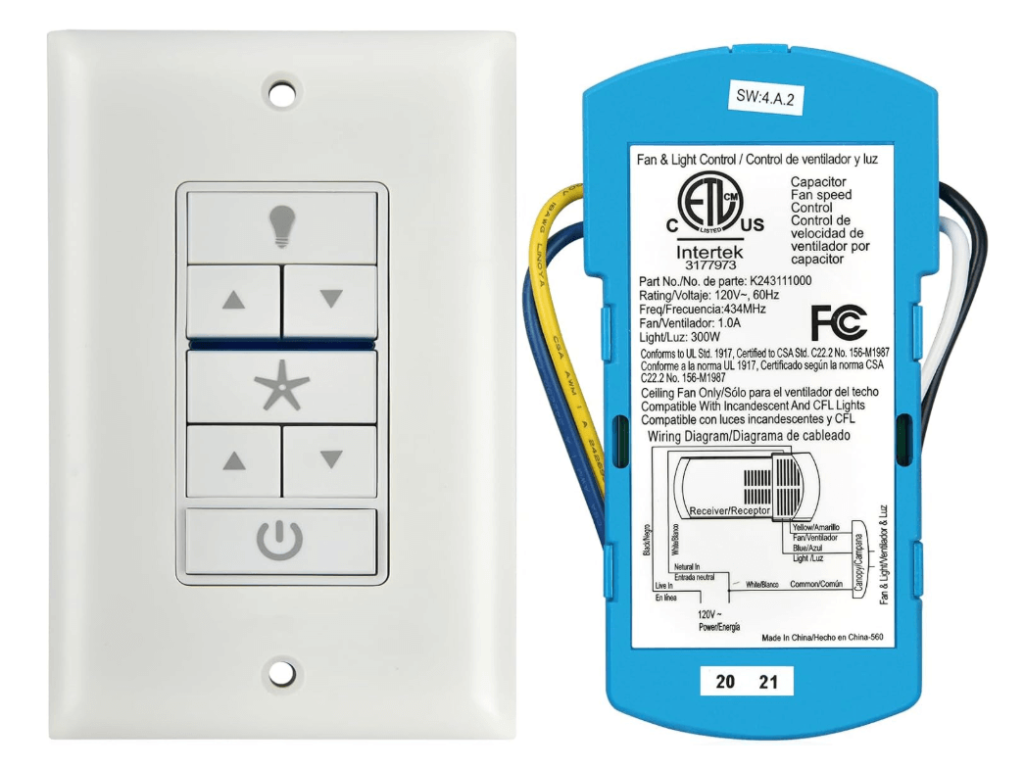
Wall Control for Hunter Fan 99373 99375
Check Price

A Detailed Comparison: Hunter 99373 vs 99375

While the model numbers may be different, the internal components, design, and user experience of these two products are identical. Here’s a breakdown of their shared features:

FeatureHunter 99373 Wall ControlHunter 99375 Wall Control
Product TypeUniversal Wall ControlUniversal Wall Control
Control Functions3 Fan Speeds, Fan Off, Light On/Off/Dimming3 Fan Speeds, Fan Off, Light On/Off/Dimming
Included ComponentsWall Control Unit, Receiver, Wall Plate, ScrewsWall Control Unit, Receiver, Wall Plate, Screws
CompatibilityUniversal (most Hunter fans and other brands)Universal (most Hunter fans and other brands)
ReceiverIdentical receiver unit for fan canopyIdentical receiver unit for fan canopy
Power SourceWall Control: 2 AAA BatteriesWall Control: 2 AAA Batteries
FCC IDOften shares the same FCC ID (IN2TX53)Often shares the same FCC ID (IN2TX53)
Physical AppearanceSame design, button layout, and colorSame design, button layout, and color

As the table shows, there are no functional or technical differences between the two. The distinction in the model number is a business practice, not a technical one.

Why Do They Have Different Model Numbers?

This is a common question for many consumers. In the retail and manufacturing world, a single product may be assigned multiple part or model numbers to serve different purposes. For the Hunter 99373 and 99375, this can be attributed to:

  • Retailer Variations: A product might have a unique number assigned for a specific retail partner (e.g., one number for an online retailer, another for a physical big-box store).
  • Date of Manufacturing: The numbers can also be used to track different production runs, even if no changes were made to the product itself.
  • Packaging Differences: The models may come in slightly different packaging or with different included instructions, leading to a new model number for cataloging.

The key takeaway for you is that you do not need to worry about the specific number. If you are replacing an old wall control or purchasing one for a new fan, either the 99373 or the 99375 will function exactly the same way.

Installation and Pairing: What to Expect

Both the 99373 and 99375 are designed for straightforward installation in a standard wall switch box. They are a convenient way to add wireless fan and light control without needing a remote control handset.

  • Wiring: The installation process involves wiring the included receiver unit into the fan’s canopy. The wall control unit itself is then wired into your existing wall switch box.
  • Pairing: After installation, the wall control must be paired with the receiver. This typically involves a power cycle and a specific button-press sequence to establish a connection. If you run into any trouble, you can consult our detailed guide on how to reprogram hunter fan remote for a step-by-step walkthrough.
  • Troubleshooting: If the remote isn’t working after installation, it’s often a simple fix. Common issues include weak batteries in the wall control or an incomplete pairing sequence. Our guide on Hunter Ceiling Fan Remote Not Working covers these troubleshooting steps in detail.

Conclusion and Where to Buy

When you see a Hunter 99373 vs 99375 comparison, the answer is simple: they are the same product. Both are reliable and easy-to-use universal wall controls that provide seamless fan and light operation. You can confidently choose either model based on availability and price.

If you are looking to purchase a new or replacement unit, you can find the Hunter 99375/99373 wall control here.

For any specific questions or further assistance, you can always contact Hunter Ceiling Fans Customer Service.
Filed Under: Hunter Ceiling Fan Parts

Hunter 99123 Fan Remote Troubleshooting & Manual

July 22, 2025 by admin Leave a Comment

If your Hunter 99123 remote is unresponsive or acting erratically, it’s a common issue that often indicates a need for troubleshooting, re-pairing, or consulting its manual. This specific Hunter ceiling fan remote (model 99123) is a popular control unit, but like all electronics, it can encounter glitches. Rather than immediate replacement, understanding how to diagnose common problems, re-establish its connection with your fan, and access its manual for specific instructions can quickly restore full control over your ceiling fan and lighting.

Understanding Your Hunter 99123 Remote

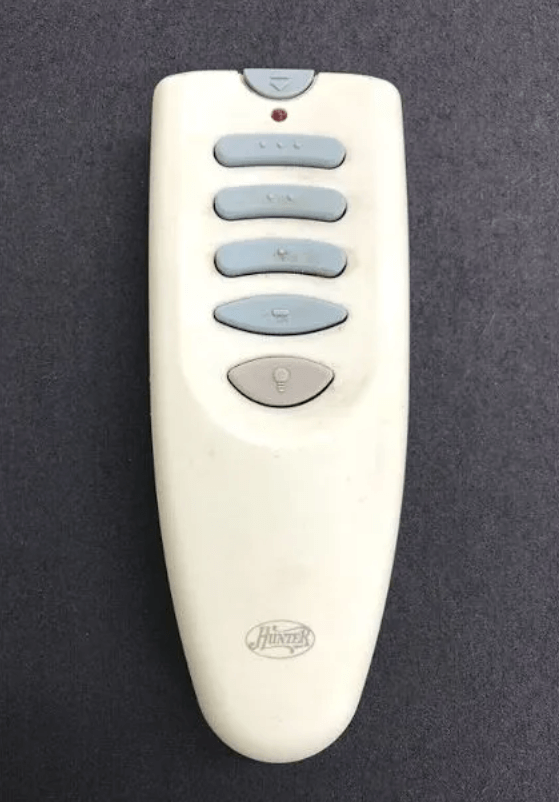
The Hunter 99123 remote is designed for convenient control of your Hunter ceiling fan’s functions, typically including fan speed (low, medium, high), light control (on/off, dimming), and sometimes a fan off button. Its compact design and dedicated buttons aim for user-friendly operation. It’s crucial to understand that while the remote transmits signals, the fan’s receiver (located within the fan’s canopy at the ceiling) is what processes these commands. Issues often arise from a communication breakdown between these two components.

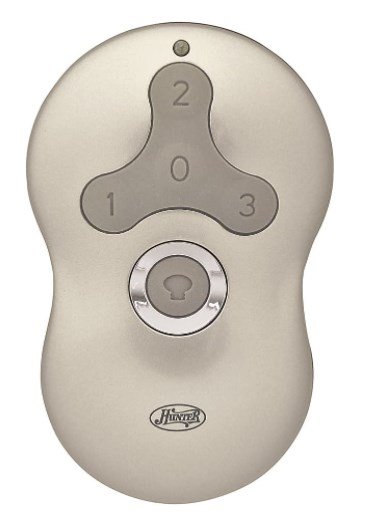
Hunter 99123 Indoor Ceiling Fan Universal Remote Control
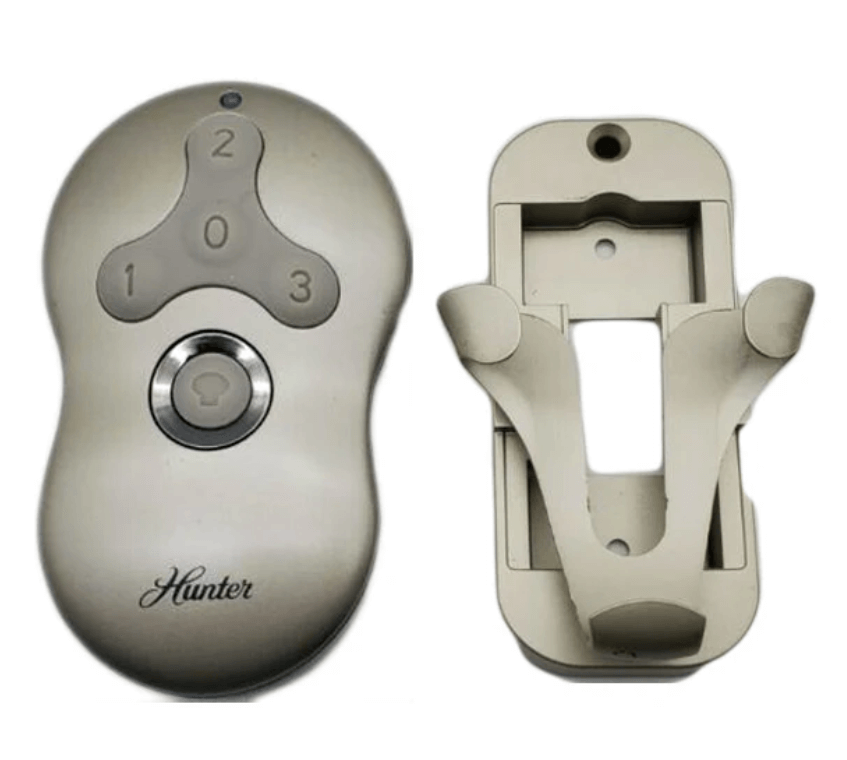
Hunter 99123 Replacement Remote Control

When Your Hunter 99123 Remote Isn’t Working: Troubleshooting First

Before considering a replacement for your hunter 99123 remote, it’s essential to troubleshoot common issues. Many problems that appear to be a dead remote can often be resolved with simple steps. This addresses concerns about your hunter fan remote 99123 not working.

  1. Check and Replace Batteries: This is the most frequent cause of remote malfunction.
    • Open the battery compartment (usually on the back) of your hunter remote 99123.
    • Remove the old A23 battery (a small, cylindrical 12V battery).
    • Insert a fresh A23 battery, ensuring correct polarity. Even if you think the batteries are fresh, try a brand-new one to rule out a weak charge.
  2. Line of Sight and Obstructions:
    • Ensure there are no physical obstructions between the remote and the fan. Large furniture, walls, or even certain types of glass can interfere with the signal.
    • Move closer to the fan to test if range is an issue.
  3. Power Cycle the Fan: A simple power cycle can often clear minor communication glitches in the fan’s receiver.
    • Turn off the power to your ceiling fan at the circuit breaker for at least 30 seconds.
    • Turn the power back on.
    • Immediately attempt to use the remote to see if it responds.
  4. Check for Interference: Other wireless devices in your home (e.g., Wi-Fi routers, smart home hubs, other ceiling fan remotes) can sometimes cause signal interference.
    • Temporarily power off other nearby wireless devices to see if the hunter 99123 remote regains functionality.
  5. Perform a Remote Reset: For general remote issues, a reset can clear internal memory. While the 99123 typically doesn’t have a dedicated reset button, a battery removal and re-insertion (as done in step 1) often serves this purpose. For broader remote troubleshooting, you can refer to our guide on Hunter Fan Remote Reset.

How to Program (Pair) Your Hunter 99123 Remote

If troubleshooting doesn’t work, your hunter ceiling fan remote 99123 likely needs to be re-paired or programmed to your fan’s receiver. This process establishes a fresh, clear communication link.

  1. Ensure Power is OFF at the Breaker: Go to your home’s electrical panel and switch off the circuit breaker that controls the ceiling fan. Wait for at least 30 seconds to a full minute. This allows the fan’s receiver to fully discharge and reset.
  2. Restore Power to the Fan: Turn the circuit breaker back to the “ON” position.
  3. Initiate Pairing on the Remote: Within 60 seconds of restoring power to the fan, you must perform the pairing sequence on your hunter 99123 remote.
    • Press and hold down both the “FAN” button and the “LIGHT” button simultaneously on the remote.
    • Keep holding these buttons for approximately 3-5 seconds.
    • The fan’s light should blink (if applicable), or the fan itself may give a slight “jerk” or response, indicating successful pairing.
  4. Test All Functions: Immediately test all buttons on your remote: fan on/off, speed changes (low, medium, high), and light on/off/dimming. If everything works, your remote is successfully programmed.

Expert Tip: Timing is critical! If the remote doesn’t pair on the first try, repeat the process from Step 1, ensuring you adhere strictly to the 60-second window after restoring power. Sometimes, it takes a couple of attempts. For more general programming advice, see our comprehensive guide on how to reprogram hunter fan remote.

Advanced Troubleshooting for Your Hunter 99123 Remote

If your hunter fan remote 99123 troubleshooting efforts haven’t yielded success, it’s time to dig a bit deeper.

  • Check for Dip Switches (Rare for 99123 but Possible): While the 99123 primarily uses a ‘learn’ function, some Hunter fans, especially older models that might be retrofitted, could still have dip switches on the receiver inside the fan canopy.
    • If your fan’s receiver has dip switches, ensure they are set to a pattern that does not conflict with any other fan in the vicinity. If you set them to a new, unique pattern, you would then follow the ‘Learn’ button programming method again.
  • Receiver Malfunction: If the remote itself is proven to be working (e.g., by using it with another compatible fan, or if you’ve tried a new remote with the same fan and it also fails), the issue might lie with the fan’s receiver unit. A faulty receiver will prevent any remote from pairing. Replacing the receiver often requires professional help.
  • Unpairing Conflicts: If you’re attempting to pair a new remote and an old one is causing interference, you might need to explicitly how to unpair hunter fan remote any existing connections before attempting to program the 99123.

Where to Find Your Hunter Fan Remote 99123 Manual

Having the correct hunter fan remote 99123 manual is an important document for specific instructions designed for your remote and fan model.

Download Your Manual Directly: For immediate access to the Hunter 99123 remote manual, you can download the PDF directly by clicking this link: Download Hunter 99123 Remote Manual (PDF).

For more general remote issues and troubleshooting common problems like your hunter fan remote 99123 not working, you can refer to our comprehensive guide: Hunter Ceiling Fan Remote Not Working.

When to Consider a Replacement Hunter 99123 Remote

After exhausting all troubleshooting and programming steps, if your hunter 99123 remote still fails to operate your fan, it might genuinely be time for a replacement. This is typically indicated if:

  • You’ve confirmed new batteries, correct pairing attempts, and ruled out fan/receiver issues.
  • The remote has visible physical damage (e.g., water damage, broken buttons, cracks).
  • It functions intermittently or sends random commands.

When replacing, ensure you purchase an authentic Hunter 99123 replacement remote or a universally compatible remote specifically listed as working with Hunter fans that use the 99123 system.

Conclusion

Dealing with a hunter 99123 remote that isn’t cooperating can be frustrating, but with the right troubleshooting steps and programming knowledge, you can often restore full functionality. From a simple battery change to correctly performing the ‘learn’ button sequence, these methods empower you to keep your Hunter 99123 remote working seamlessly. Should you continue to face challenges, remember that Hunter offers excellent support, and their official manuals are a rich resource. For direct assistance, don’t hesitate to contact Hunter Ceiling Fans Customer Service.
Filed Under: Hunter Ceiling Fan Parts, Hunter Fan Manuals

Hunter Fan Remote Replacement 99600

May 13, 2025 by admin Leave a Comment

If you’re facing issues with your Hunter ceiling fan remote model 99600 or simply need a replacement, don’t worry! This article will guide you through replacing your Hunter fan remote, troubleshooting common issues, and installing a new remote. Whether you’re upgrading to a new model or just need to replace a faulty remote, we’ll ensure you have all the information you need to keep your fan running smoothly.

Hunter Fan Remote 99600

1. Where to Buy the Hunter 99600 Ceiling Fan Remote

If your Hunter ceiling fan remote is broken, lost, or malfunctioning, purchasing a replacement remote is simple. The Hunter 99600 ceiling fan remote is available for purchase online. We recommend using the Amazon link to buy the Hunter 99600 replacement remote, as it is quick, reliable, and includes fast shipping:

Buy the Hunter 99600 Ceiling Fan Remote on Amazon – Affiliate Link

2. Features of the Hunter 99600 Ceiling Fan Remote

The Hunter 99600 Ceiling Fan Remote is designed to work with most Hunter ceiling fans and offers the following features:

  • Multi-Speed Control: Allows you to adjust your fan’s speed across three settings (low, medium, high).
  • Full-Range Light Operation: Includes a wall switch access plate, allowing you to adjust the lighting and ambiance.
  • Easy Setup: Works with most ceiling fans, provided the receiver fits inside the fan canopy.
  • Universal Compatibility: It works with other fan brands as long as the receiver is compatible.

With the Hunter 99600 remote, you’ll enjoy convenient fan control from anywhere in the room.

3. How to Install the Hunter 99600 Ceiling Fan Remote

Here’s a brief overview of how to install the Hunter 99600 Ceiling Fan Remote:

  1. Turn off the power to your ceiling fan at the wall switch or circuit breaker.
  2. Remove the fan canopy to expose the receiver.
  3. Disconnect the old receiver (if replacing it) and note the wiring.
  4. Install the new receiver by connecting the wires according to the instructions.
  5. Replace the canopy and ensure everything is secure.
  6. Insert the battery into the remote control and pair it with the fan.

For a more detailed guide on installation, check out our helpful article: How to Install a Hunter Ceiling Fan Remote Control.

4. Troubleshooting Common Issues with the Hunter 99600 Remote

If your Hunter 99600 ceiling fan remote is not working properly, there are a few common issues that can be easily fixed. Instead of looking elsewhere, we have you covered with a detailed guide for troubleshooting. You can check out our Hunter Ceiling Fan Remote Not Working guide for step-by-step solutions.

Common problems include:

1. Unresponsive Remote

  • Ensure the battery is properly installed and has charge. If not, replace the battery with a new one.
  • Check the battery compartment to ensure proper contact.

2. Fan Not Responding to Remote

  • Ensure the fan is powered on and within range of the remote. Try re-pairing the remote with the fan by following the pairing instructions in the manual or our linked guide.

3. Light Control Issues

  • If the light on the fan isn’t responding, check whether the light bulbs are installed correctly. Additionally, test the light dimming feature to ensure it is working as expected.

5. Alternative Solutions

If you’re unable to get the Hunter 99600 remote working or if it’s no longer available, there are a few alternative options:

1. Universal Remote Control Kits

  • You can find universal ceiling fan remote kits that work with most brands, including Hunter. These remotes typically come with three-speed control, light dimming, and fan direction settings.

2. Purchase a New Replacement Remote

  • If the Hunter 99600 remote is no longer available, you can purchase a universal ceiling fan remote that will work with Hunter fans. Make sure the remote you choose is compatible with your fan model.

6. Conclusion

Replacing or troubleshooting your Hunter 99600 remote doesn’t have to be a hassle. Whether you need to replace a faulty remote or simply need a guide to get your fan working again, we’ve covered all the necessary steps. If you’re looking for a replacement remote, we recommend checking Amazon for a quick and easy purchase.

Remember, if you face any issues with your remote, consult our detailed Hunter Ceiling Fan Remote Not Working guide, and keep your fan running smoothly.

For more tips on Hunter fan parts, repairs, or replacements, visit our Hunter Ceiling Fan Replacement Parts Guide.

Filed Under: Hunter Ceiling Fan Parts, Hunter Ceiling Fan Troubleshooting

Hunter Remote 85095 Replacement

April 29, 2025 by admin Leave a Comment

If you’re in need of a Hunter Remote 85095 replacement, you’ve come to the right place. Whether your current remote has stopped working, you need a spare, or you’re upgrading your system, this guide will walk you through everything you need to know about finding, purchasing, and replacing the Hunter 85095 remote control.

Hunter 85095 Ceiling Fan Remote Control

1. Where to Find the Hunter Remote 85095 Replacement

Finding the right replacement remote for your Hunter ceiling fan is easy and convenient. Here are the best places to purchase the Hunter Remote 85095:

Option 1: Purchase from Amazon

To purchase the Hunter Remote 85095 replacement with the ease of free returns and fast shipping, check out Amazon: Buy Hunter Remote 85095 on Amazon (affiliate link)

This is a great option for getting your remote delivered quickly, with the assurance of customer reviews and product compatibility.

Option 2: Hunter Fan Official Website

For direct purchases, you can go through the Hunter ceiling fans website. While the product availability may vary, this is the official source for Hunter ceiling fan parts and remotes.

Option 3: Other Retailers

Retailers like Home Depot, Lowe’s, or trusted third-party websites may also carry the Hunter Remote 85095. Always ensure compatibility before purchasing to avoid returns.

2. How to Install the Hunter Remote 85095 Replacement

Installing your Hunter Remote 85095 replacement is a straightforward process. However, to ensure proper functionality, follow these key steps:

  1. Turn Off Power to the Fan:
    Before starting any installation, make sure to turn off the power at the circuit breaker to avoid electrical hazards.
  2. Remove the Old Remote and Install the New Receiver:
    If you are replacing an old remote, remove the old receiver and install the new Hunter 85095 remote receiver inside the fan canopy.
  3. Insert the Battery:
    Open the battery compartment of the remote and insert the 12V 23A battery correctly.
  4. Pair the Remote:
    Pair the Hunter 85095 remote with your fan using the pairing instructions provided in the manual.

For detailed steps on installing a Hunter fan remote, you can refer to our guide on How to Install a Hunter Ceiling Fan Remote.

3. Troubleshooting Common Issues with Hunter Remote 85095

After installing the Hunter 85095 remote, you may encounter some issues. Here are some common problems and how to resolve them:

1. Remote Not Pairing

  • Solution: Ensure the battery is properly inserted and fresh. Re-pair the remote by following the pairing process.
  • For detailed troubleshooting, check out our Hunter Ceiling Fan Remote Not Working guide for a deeper dive into fixing pairing issues.

2. Remote Not Controlling the Fan

  • Solution: Make sure the receiver is installed properly and the wiring is intact. Reset the fan and remote pairing if necessary.

3. Fan Light Not Responding

  • Solution: Check the light bulb connections and test the dimming feature on the remote to see if it’s responding.
  • Further troubleshooting: If the light is still not responding, refer to our Hunter Ceiling Fan Remote Troubleshooting guide.

4. Additional Resources

If you’re still facing issues, here are some additional resources that might help:

  • Hunter Ceiling Fan Manuals: Access manuals for all Hunter ceiling fan models.
  • Hunter Fan Remote 85095 Pairing Guide: A complete guide to pairing the Hunter 85095 remote with your fan.
  • Hunter Ceiling Fan Replacement Parts: Find all the replacement parts you need for your Hunter ceiling fan.

5. Conclusion

Replacing the Hunter Remote 85095 is a simple process that enhances the functionality of your Hunter ceiling fan. By following the installation and troubleshooting steps in this guide, you’ll quickly restore full control over your fan’s speed, light, and direction. For quick purchasing, don’t forget to use our affiliate link on Amazon to get your replacement remote. If you have any other questions, don’t hesitate to check out our Hunter Ceiling Fan Troubleshooting and installation guides for further assistance.

Filed Under: Hunter Ceiling Fan Parts, Hunter Ceiling Fan Troubleshooting

Hunter 99119 Ceiling Fan and Light Universal Remote Control

April 27, 2025 by admin Leave a Comment

Ceiling fans have evolved over the years, and with the advent of smart home technology, controlling your fan with ease has become more important than ever. One such advancement is the Hunter 99119 Ceiling Fan and Light Universal Remote Control. If you own a Hunter ceiling fan, the 99119 remote offers a convenient, efficient, and stylish way to control the fan speed, lighting, and fan direction. This remote is designed to seamlessly integrate with Hunter ceiling fans and many other brands, providing full-range control for your fan’s settings.

In this comprehensive guide, we’ll walk you through the key features of the Hunter 99119 universal remote, how it works, and how to troubleshoot any issues you might encounter. Whether you’re looking for a replacement or just upgrading your fan controls, the Hunter 99119 remote offers the ultimate convenience at your fingertips.

Hunter Fan Company Hunter 99119 Traditional Control

2. Key Features of the Hunter 99119 Ceiling Fan and Light Universal Remote Control

The Hunter 99119 universal remote brings a wealth of features designed to enhance the user experience and improve overall fan and light control. Below are some of the top features that make this remote a must-have for your Hunter ceiling fan.

Contemporary Design

One of the standout features of the Hunter 99119 remote is its sleek and modern design. With a white and satin nickel finish, it complements a wide range of home interiors, whether you’re styling your living room, bedroom, or office space. The compact size (4 x 2.5 x 1 inches) ensures it’s comfortable to hold, and it’s small enough to fit into any remote holder or drawer.

Multi-Speed Control

The Hunter 99119 remote allows you to adjust the fan speed with three separate buttons. Whether you need a gentle breeze or full air circulation, the multi-speed functionality ensures that you can customize the airflow to your ideal comfort level. The speed control is quick and simple, making it easy to find the right setting with a press of a button.

Full-Range Light Operation

In addition to controlling the fan, the Hunter 99119 remote also controls the light. The full-range light dimming feature allows you to adjust the brightness of your ceiling fan light kit for different moods and settings. This makes it perfect for reading, entertaining, or creating a relaxed ambiance in any room. Whether you want to brighten up your living space or lower the lights for a cozy atmosphere, the Hunter 99119 remote provides full control over the lighting.

Instant On/Off Button

The instant on/off button is an incredibly convenient feature, allowing you to quickly turn the fan or light on or off without needing to adjust the speed or light settings. It’s perfect for times when you need to adjust your room temperature or lighting instantly, like when entering or leaving the room.

Compatibility with All Ceiling Fans

The Hunter 99119 remote is universal, which means it works with all ceiling fan brands, as long as the receiver fits in the fan’s canopy. This broad compatibility allows you to easily replace or upgrade your existing remote without worrying about brand limitations.

Frequency Range

The Hunter 99119 remote is designed to work with ceiling fans installed at ceiling heights of 9 feet or greater. This makes it suitable for most standard and large rooms in your home. Whether you have a high ceiling in your living room or a standard height in your bedroom, this remote will provide efficient control over your fan.

3. Why Choose the Hunter 99119 Universal Remote Control?

Ease of Use

The Hunter 99119 remote is designed with user-friendliness in mind. Unlike complicated controls or systems, this remote control offers a simple, intuitive interface. With just a few buttons to control the fan speed, lighting, and fan direction, you won’t have to fumble with confusing settings.

Enhanced Comfort and Convenience

By switching to a Hunter 99119 remote, you can control the fan and light settings without ever leaving your seat. This convenience allows you to adjust the temperature and lighting levels at a moment’s notice, giving you more control over your home environment. Whether you’re in bed, on the couch, or at your desk, the Hunter 99119 remote provides instant access to fan and light control.

Perfect for Modern Homes

The modern design of the Hunter 99119 remote makes it a perfect addition to any contemporary or modern home. Its simple design, combined with the functional features, makes it an essential gadget for smart homes. Its ability to adjust the fan speed and light dimming with ease makes it the ideal companion for Hunter ceiling fans in living rooms, bedrooms, and even larger rooms with high ceilings.

4. Installation of the Hunter 99119 Universal Remote Control

Installing the Hunter 99119 remote is a quick and easy process, even for beginners. Here’s how you can set it up:

Step 1: Turn Off the Power

Before beginning the installation, turn off the power to your ceiling fan by flipping the switch on the wall or turning off the circuit breaker.

Step 2: Install the Receiver

  • Open the ceiling fan canopy and attach the receiver that comes with the Hunter 99119 remote to the fan’s wiring. The receiver should fit snugly inside the canopy of your fan.
  • Ensure the wires are connected correctly. If you’re not sure, consult the manual that comes with the remote or seek assistance from a professional electrician.

Step 3: Install the Remote Control Wall Plate

The Hunter 99119 remote also comes with a wall switch access plate. This can be installed next to your light switch for easy access.

Step 4: Pair the Remote and Receiver

Once the receiver is installed and wired, follow the instructions provided in the manual to sync the remote to the fan. This usually involves pressing and holding a button on the remote to pair it with the fan’s receiver.

Once paired, you can begin using the Hunter 99119 remote to control your fan and lighting.

Buy Hunter 99119 Ceiling Fan Remote Control on Amazon – Affiliate Link

5. Troubleshooting Common Issues with the Hunter 99119 Ceiling Fan Remote Control

Like any technology, you might occasionally encounter problems with your Hunter 99119 remote control. Fortunately, most issues can be resolved easily without needing professional help. Below are some common issues with the Hunter 99119 ceiling fan remote control and how to fix them.

1. Remote Not Pairing with the Fan

If your Hunter 99119 remote is not pairing with your ceiling fan, it can be due to several reasons. Here’s how to troubleshoot:

  • Ensure Power is On: Make sure the power to the ceiling fan is on. Check the wall switch or circuit breaker to ensure the fan is powered.
  • Check Battery: Replace the batteries in your remote. Weak batteries are often the culprit when the remote fails to sync.
  • Reset the Pairing Process:
    • Turn off the power to the fan for about 10 seconds to reset it.
    • After turning the power back on, follow the pairing instructions provided in the manual to re-sync the remote with the fan.

If this doesn’t resolve the issue, contact Hunter customer support for further assistance.

2. Fan Speed or Light Controls Not Responding

If your Hunter fan speed or light control is not responding, the issue could be related to syncing or wiring.

  • Check Remote and Receiver Sync: If the fan speed or light control is not responding, ensure that the remote and receiver are properly synced. Reset the pairing process and test again.
  • Wiring Issues: Check the wiring inside the fan to ensure that all connections are secure. If you notice any loose wires, it’s best to call a professional to inspect and correct the wiring.
  • Test the Fan Without Remote: Try adjusting the fan speed and light settings manually to confirm that the fan is working correctly. If it does work manually, the problem may lie with the remote.

3. Light Not Turning On or Dimming

Sometimes, the light dimming function may not work or the light kit won’t turn on at all. Here’s how to address the issue:

  • Check Bulb Compatibility: Ensure that the light bulbs you’re using are compatible with the Hunter 99119 remote. If the bulbs are too powerful or incompatible, they may not function properly.
  • Reset the Light Settings: If the light is not dimming correctly, try resetting the remote settings by following the pairing process again. This might reset the light dimming function.
  • Examine the Light Fixture: Inspect the light fixture for any visible damage or loose connections. If the fixture is damaged, replacing it may be necessary.

4. Remote Control Not Responding to Fan Commands

If the Hunter 99119 remote is not responding to the fan commands (speed adjustment, light control), try these steps:

  • Reset the Remote: Turn off the power to the fan for 30 seconds, and then turn it back on. After restoring power, try reprogramming the remote with the receiver.
  • Battery Check: Make sure the remote’s batteries are working. Replace the batteries with new ones if needed.
  • Check for Interference: Ensure that there is no interference between the remote and the fan receiver. Move any obstacles that may block the signal between the remote and receiver.

5. Fan or Light Won’t Turn Off

If your Hunter 99119 remote is not turning the fan or light off, the problem may stem from the settings or the remote itself.

  • Check for Stuck Buttons: Sometimes, stuck buttons on the remote can cause the fan to remain on. Press each button individually to see if it resolves the issue.
  • Power Cycle: Turn the power off at the wall switch for 10 seconds and turn it back on to reset the fan and remote.
  • Factory Reset: If the issue persists, you may need to perform a factory reset on the remote and receiver. Refer to the manual for specific reset instructions.

If none of the above solutions work, it may be time to replace the remote or the receiver. You can also reach out to Hunter’s customer support for assistance.

6. Cost of the Hunter 99119 Ceiling Fan and Light Universal Remote Control

Understanding the cost of the Hunter 99119 remote control is important for making an informed purchasing decision. Here’s an overview of the average price range and other factors that affect the cost of the Hunter 99119 remote:

  • Average Price Range: The Hunter 99119 ceiling fan remote control typically costs over $60, depending on where you purchase it and whether you buy from authorized retailers like Amazon or Hunter’s official website.
  • Where to Buy: You can purchase the Hunter 99119 remote from various trusted retailers, including:
    • Amazon: Often has competitive prices and quick shipping.
    • Home Depot: Offers in-store and online purchasing with easy returns.
    • Lowe’s: Another reliable option for Hunter parts and accessories.
  • Affordability vs. Value: Considering the convenience and enhanced functionality that the Hunter 99119 remote provides, it’s a small price to pay for improved comfort and control over your ceiling fan and light settings.

Buy Hunter 99119 Ceiling Fan Remote on Amazon – Affiliate Link

7. Conclusion

The Hunter 99119 Ceiling Fan and Light Universal Remote Control is an essential accessory for Hunter ceiling fans and offers enhanced convenience, energy efficiency, and full control of your fan and light settings. With features like multi-speed control, light dimming, and compatibility with a wide range of fans, this remote ensures that you can create the perfect home environment with ease.

Whether you’re replacing an old remote or upgrading your fan control system, the Hunter 99119 remote is an excellent choice for modern homes seeking smarter, more convenient solutions.

If you’ve encountered issues with your Hunter 99119 remote, follow the troubleshooting steps above or consider contacting Hunter customer support for further help.

For those ready to enhance their ceiling fan experience, purchase the Hunter 99119 remote and enjoy unparalleled comfort and control at the push of a button.

Buy the Hunter 99119 Universal Remote Here – Affiliate Link

Filed Under: Hunter Ceiling Fan Parts

  • 1
  • 2
  • 3
  • …
  • 5
  • Next Page »


Best Hunter Ceiling Fans

Bestseller No. 1 Hunter 59244 Dempsey Ceiling Fan 44 inches Fresh White
Hunter 59244 Dempsey Ceiling Fan 44 inches Fresh White
Check Price
Bestseller No. 2 Hunter 53090 Builder Deluxe Ceiling Fan 52 inches Brushed Nickel
Hunter 53090 Builder Deluxe Ceiling Fan 52 inches Brushed Nickel
Check Price
Bestseller No. 3 Hunter Fan Company Fan Builder Elite Indoor Ceiling Fan with Pull Chain Control, Metal, New...
Hunter Fan Company Fan Builder Elite Indoor Ceiling Fan with Pull Chain Control, Metal, New...
Check Price

Recent Posts

  • Hunter Ceiling Fan Remote Control Manual
  • Hunter Ceiling Fan Flickering Lights: Causes and Fixes
  • Hunter vs Kichler Ceiling Fans — The Ultimate Battle for Your Ceiling
  • Hunter Fan Company Phone Number & Contact Information (Official Guide)
  • Hunter HVLS Fans: The Definitive Guide to High-Volume, Low-Speed Airflow
  • Hunter 99373 vs 99375: What’s the Difference Between These Remotes?
  • Hunter Fan Remote Battery Replacement
  • Hunter 99123 Fan Remote Troubleshooting & Manual
  • How to Unpair Your Hunter Fan Remote
  • How to Install Hunter Low Profile Ceiling Fan

Legal Information

This site is owned and operated by HunterCeilingfans. Hunter ceiling fans is a participant in the Google Adsense Program, an advertising program designed to provide a means for sites to earn advertising fees by displaying related advertisements.

Hunter ceiling fans also is a participant in Amazon Associates Program. “As an Amazon Associate, I earn from qualifying purchases.”

Hunter ceiling fan is compensated for referring traffic to these companies. Hunter ceiling fans is an independent site with no connections to Hunter and is operated entirely by independent volunteers and writers to provide information.

We are not the manufacturer of Hunter Ceiling Fans, nor are we associated with Hunter in any way. We are a third-party resource website that tries to help site visitors to find valuable information.

Categories

  • Discontinued Hunter Ceiling Fans
  • Hunter Ceiling Fan Parts
  • Hunter Ceiling Fan Reviews
  • Hunter Ceiling Fan Support
  • Hunter Ceiling Fan Troubleshooting
  • Hunter Ceiling Fans
  • Hunter Fan Manuals

Partners

Harbor Breeze