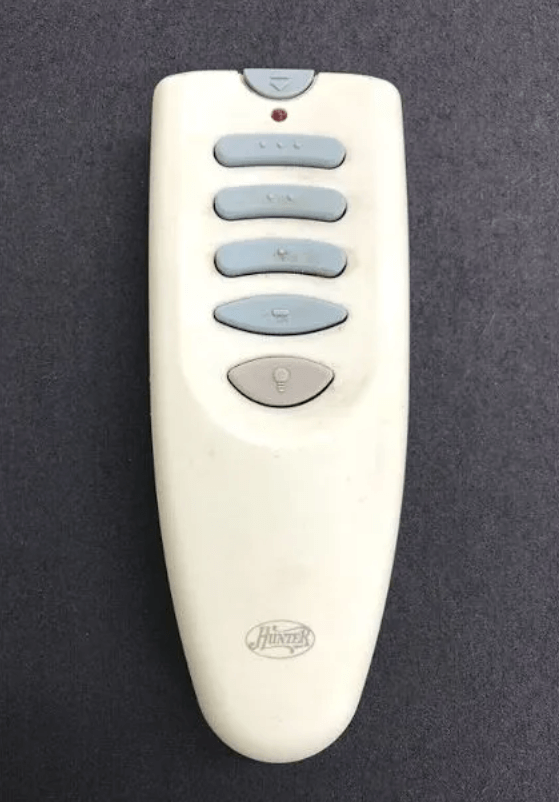
Hunter Ceiling Fans

  • Home
  • Hunter Manuals
  • Hunter Fan Parts
    • Hunter Ceiling Fan Remotes
    • Hunter Ceiling Fan Light Kits
    • Hunter Ceiling Fan Blade Arms
    • Hunter Ceiling Fan Blades
    • Hunter Ceiling Fan Downrods
    • Hunter Ceiling Fan Pull Chains
    • Hunter Ceiling Fan Wall Controls
    • Hunter Ceiling Fans Replacement Globes
  • Hunter Support
  • Hunter Commercial Ceiling Fans

Hunter Ceiling Fan Remote Control Manual

February 10, 2026 by admin Leave a Comment

(Complete Technician-Level User Guide)

Supported Models: Hunter RF remotes (multiple variants)
Compatible Fans: Hunter ceiling fans with receiver module
Wireless Type: RF (315 MHz / 434 MHz)
Power Source: Battery operated (model dependent)

INTRODUCTION

Hunter ceiling fan remote controls allow wireless operation of fan speed, lighting, and blade direction without using pull chains or wall switches. Unlike infrared remotes, Hunter remotes use radio frequency (RF) signals, which can pass through walls, furniture, and ceilings and do not require line-of-sight.

This guide applies to:
✔ Standard Hunter RF handheld remotes
✔ Hunter universal remotes
✔ Older DIP switch remotes
✔ Newer pairing-button remotes

This manual explains:
• Button functions
• Battery types
• Pairing methods
• Reset methods
• Receiver wiring
• Compatibility
• Error symptoms
• Interference issues
• Real-world troubleshooting

If your Hunter fan remote is not working, the most common reasons are:
• Weak batteries
• Lost pairing
• Blocked receiver antenna
• Electrical interference
• Faulty receiver module

All are covered in this guide.

1. SAFETY INFORMATION

Battery Safety

• Use only the battery type specified
• Do not mix old and new batteries
• Do not mix lithium and alkaline
• Insert with correct polarity
• Do not short-circuit
• Do not expose to heat
• Button cell batteries are dangerous if swallowed
• Seek medical help immediately if ingested

Environmental Safety

• Indoor use only
• Keep remote dry
• Avoid steam or condensation
• Do not store in direct sunlight
• Operating temperature: 0°C – 40°C

Electrical Safety

• Turn OFF breaker before accessing canopy
• Never touch exposed wiring
• Receiver is line-voltage device
• Only use Hunter-approved receivers

2. REMOTE CONTROL LAYOUT & BUTTON FUNCTIONS

Fan Power Button

• Turns fan ON or OFF
• Fan resumes last speed
• Some models require holding button

Speed Buttons

Most remotes provide 3–6 direct speed buttons:
• Low
• Medium-Low
• Medium
• Medium-High
• High

Direct selection prevents cycling delay.

Light Button

• Press once = ON
• Press again = OFF
• Hold = dim (on supported models)

Brightness (+ / –)

• Adjusts light intensity
• Works with dimmable bulbs only

Reverse Button

• Changes blade rotation
• Summer: counterclockwise
• Winter: clockwise
• Fan must be running

Timer Button

• 1 hour
• 2 hours
• 4 hours
• 8 hours

Indicator Light

• Solid = transmitting
• Flashing = low battery
• No light = dead battery

3. BATTERY TYPES & IDENTIFICATION

Hunter remotes may use:
• CR2032
• CR2025
• AAA
• AA
• A23 (12V)

How to identify:
• Open battery cover
• Read label
• Check old battery
• Check model sticker

4. BATTERY INSTALLATION PROCEDURE

Coin Cell:

  1. Open rear cover
  2. Remove old battery
  3. Insert new (+ up)
  4. Ensure full contact
  5. Close cover
  6. Test LED

AA / AAA:

  1. Slide cover
  2. Insert following polarity
  3. Close cover
  4. Test remote

A23:

  1. Insert positive first
  2. Close compartment
  3. Test

Replacement Timing:

• Coin cells: 12–18 months
• AA/AAA: 6–12 months

Replace when:
• Range decreases
• Multiple presses needed
• LED dims

5. HOW HUNTER REMOTE COMMUNICATION WORKS

Hunter remotes send RF signals to a receiver module installed inside the fan canopy.
The receiver interprets commands and distributes power to:
• Fan motor
• Light kit

Without the receiver:
❌ Remote cannot function

6. PAIRING EXPLAINED

Pairing allows:
• Remote and receiver to share frequency
• Prevents neighbor fan interference
• Stores command memory

Pairing required when:
• New installation
• New remote
• After power outage
• Neighbor controls your fan
• Remote stops responding

7. STANDARD PAIRING METHOD (Most Models)

  1. Turn OFF power
  2. Wait 30 seconds
  3. Turn ON power
  4. Within 30 seconds press & hold:
    • Pair button
    OR
    • Light button
  5. Wait for:
    • Light blink
    • Fan twitch
    • Beep
  6. Release button
  7. Test functions

8. DIP SWITCH PAIRING (Older Models)

  1. Turn OFF breaker
  2. Open remote
  3. Set DIP switches
  4. Match receiver switches
  5. Restore power
  6. Test

Prevents:
✔ Cross-control
✔ Signal conflict

9. RECEIVER LOCATION & WIRING

Receiver sits inside canopy.

Wire Functions:

• Black → Hot
• White → Neutral
• Blue → Light
• Black (fan) → Motor

⚠ Always turn OFF breaker.

10. FREQUENCY & INTERFERENCE

Common interference:
• Wi-Fi routers
• Baby monitors
• Other fans
• Wireless speakers

Solutions:
• Re-pair remote
• Change DIP pattern
• Move router
• Extend antenna

11. Hunter Fan Remote Not Working – Symptom-Based Diagnosis

Instead of guessing, use this logic:

SymptomMost Likely CauseCorrect Fix
No response at allDead batteriesReplace batteries
Light works, fan doesn’tReceiver fan output failedReplace receiver
Fan works, light doesn’tLight kit wiring or dimmer failedInspect blue wire & bulbs
Works only nearbyWeak battery or antenna blockedReplace battery, extend antenna
Neighbor controls fanSame frequency pairingRe-pair or change DIP switches
Light flickersNon-dimmable LEDUse dimmable bulbs
Fan hums but doesn’t spinBad capacitor or low voltageReplace capacitor
Buttons light but nothing happensReceiver not poweredCheck canopy wiring
Fan runs but remote doesn’tWall switch offTurn switch ON
Random speed changesRF interferenceRe-pair, move router

12. When Light Works but Fan Does Not

Possible Causes:

• Receiver fan channel failed
• Motor capacitor damaged
• Fan motor wiring loose

Diagnostic Steps:

  1. Test fan using pull chain
  2. If pull chain works → receiver is faulty
  3. If pull chain fails → motor/capacitor issue

Fix:

✔ Replace receiver
✔ Replace capacitor
✔ Inspect wiring

13. When Fan Works but Light Does Not

Causes:

• Burned bulb
• Non-dimmable LED
• Blue wire disconnected
• Receiver light channel failed

Fix:

✔ Replace bulbs
✔ Use dimmable LED
✔ Check blue wire
✔ Replace receiver if needed

14. Remote Indicator Light Behavior

LED BehaviorMeaning
No lightDead battery
Solid lightSignal transmitted
Fast blinkingLow battery
No blink when pressedRemote circuit damaged

If LED works but fan does not → problem is receiver or wiring.

15. Hunter Fan Remote Reset Methods

Method 1 – Power Reset

  1. Turn OFF breaker
  2. Wait 30 seconds
  3. Turn ON
  4. Pair remote

Method 2 – Button Reset

  1. Restore power
  2. Within 30 sec hold Fan OFF for 10 sec
  3. Watch for blink or beep

Method 3 – DIP Reset

  1. Turn OFF power
  2. Change DIP pattern
  3. Restore power

16. Receiver Replacement Guide

If:
✔ Remote LED works
✔ Fan doesn’t respond
✔ Wiring is correct

Then:
👉 Receiver is likely faulty

Steps:

  1. Turn OFF breaker
  2. Remove canopy
  3. Disconnect receiver
  4. Install new receiver
  5. Match wiring colors
  6. Pair new receiver

⚠ Never bypass receiver unless using pull chains only.

17. Receiver Antenna Placement

Receiver antenna must:
✔ Hang freely
✔ Not be coiled
✔ Not be inside metal bracket
✔ Not touch motor housing

Blocked antenna = short range or no response.

18. Hunter Fan Reverse Not Working via Remote

Causes:
• Motor doesn’t support electronic reverse
• Reverse switch on motor overrides remote
• Remote not paired properly

Fix:
✔ Use manual reverse switch
✔ Re-pair remote
✔ Check fan model supports remote reverse

19. Hunter Fan Speed Problems

Fan runs only on one speed:

Cause:
• Receiver fan output damaged

Fix:
✔ Replace receiver

Fan changes speed randomly:

Cause:
• RF interference

Fix:
✔ Re-pair
✔ Change DIP switches
✔ Move Wi-Fi router

20. Light Dimming Failure Analysis

Light flickers:

Cause:
• CFL or non-dimmable LED

Fix:
✔ Install dimmable LED

Light won’t dim:

Cause:
• Light kit not compatible

Fix:
✔ Use ON/OFF only
✔ Replace dimmer receiver

21. Wall Switch vs Remote Logic (NEW)

Hunter remote requires:
✔ Constant power

Wall switch must be:
✔ ON at all times

If wall switch is OFF:
❌ Remote will not work

Correct setup:
Breaker → Wall switch → Receiver → Fan

22. Remote Works Intermittently

Causes:
• Weak battery
• Moisture
• Receiver overheating
• Interference

Fix:
✔ Replace battery
✔ Keep remote dry
✔ Improve ventilation
✔ Re-pair remote

23. Blink Codes & Signal Behavior

Some Hunter remotes show patterns:

Blink PatternMeaning
1 blinkCommand sent
Rapid blinkLow battery
No blinkDead remote
Blink but no responseReceiver problem

24. Diagnostic Decision Tree

If remote LED does NOT light → Replace battery
If LED lights but fan does not → Replace receiver
If light works but fan does not → Check capacitor
If fan works but light does not → Check bulbs & blue wire
If range is short → Antenna or battery
If neighbor controls fan → Re-pair

COMPATIBILITY, MODELS, SMART FANS & SEO DOMINANCE

25. Hunter Fan Remote Compatibility Chart (New Section)

Fan TypeRemote CompatibleNotes
AC motor fanYesWorks with Hunter RF remotes
DC motor fanNo (unless specified)Requires DC remote
Smart Wi-Fi fanNoUses mobile app
Pull-chain fan onlyNoNeeds receiver installed
Light kit fanYesLight & fan controlled
Fan without lightYesFan control only

26. Hunter Universal Remote vs Model-Specific Remote

Universal Remote:

✔ Works with many Hunter fans
✔ Easy replacement
✔ Cheaper

Model-Specific Remote:

✔ Exact button layout
✔ Supports advanced features
✔ Better dimming control

Always check:
• Fan model
• Remote model
• Receiver type

27. Hunter Smart Fan vs RF Remote Fan

RF Remote Fans:

• Controlled by handheld remote
• Requires receiver
• No internet

Smart Fans:

• Controlled by mobile app
• Requires Wi-Fi
• No RF remote (on most models)

Smart fans cannot use RF remotes unless:
✔ Hybrid model
✔ Manufacturer-approved

28. Hunter Remote Part Numbers & Replacement Logic

Common part categories:
• Handheld remote
• Receiver module
• Wall cradle
• Battery cover

Replace only:
✔ Receiver if signal lost
✔ Remote if LED dead
✔ Cradle if broken

29. Using Hunter Remote With Wall Control

Hunter remote requires constant power.
Wall control should be:
✔ ON always

Best practice:
• Use wall switch as master power
• Use remote for speed/light

30. Installing a New Receiver in an Old Fan

If fan had:
• Pull chains only

You must install:
✔ Hunter receiver kit

Steps:

  1. Turn off breaker
  2. Remove canopy
  3. Insert receiver
  4. Connect wires
  5. Pair remote

31. Hunter Fan Remote Memory Loss After Power Outage

Cause:
• Receiver memory reset

Fix:
✔ Re-pair remote
✔ Reset fan

32. Environmental Causes of Failure

Causes:
• Humidity
• Heat
• Dust
• Power surges

Fix:
✔ Keep remote dry
✔ Clean fan canopy
✔ Use surge protector

33. Hunter Fan Remote Maintenance Tips

• Replace batteries yearly
• Keep antenna straight
• Keep wall switch ON
• Avoid dropping remote
• Re-pair after outages

34. Expanded FAQ

Q1: Why does my Hunter fan remote not work?

Most commonly due to dead batteries, lost pairing, or receiver failure.

Q2: Can I use a universal remote with Hunter fan?

Yes, for most AC motor fans with receivers.

Q3: Why does my neighbor’s remote control my fan?

Because both fans share the same frequency. Re-pair or change DIP switches.

Q4: Can I bypass the receiver?

Yes, but remote control will not function.

Q5: Why does my light flicker with remote?

Because non-dimmable LED or CFL bulbs are installed.

Q6: Does Hunter remote work without light kit?

Yes, fan control still works.

Q7: Can I use a wall dimmer with Hunter remote?

No. Wall dimmers can damage the receiver.

35. Quick Fix Summary Box

If Hunter remote does not work:
✔ Replace batteries
✔ Re-pair remote
✔ Keep wall switch ON
✔ Check antenna
✔ Replace receiver if needed
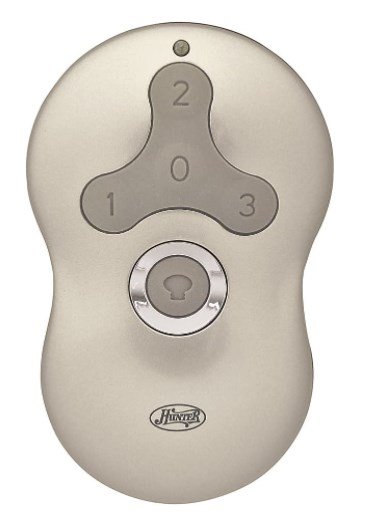
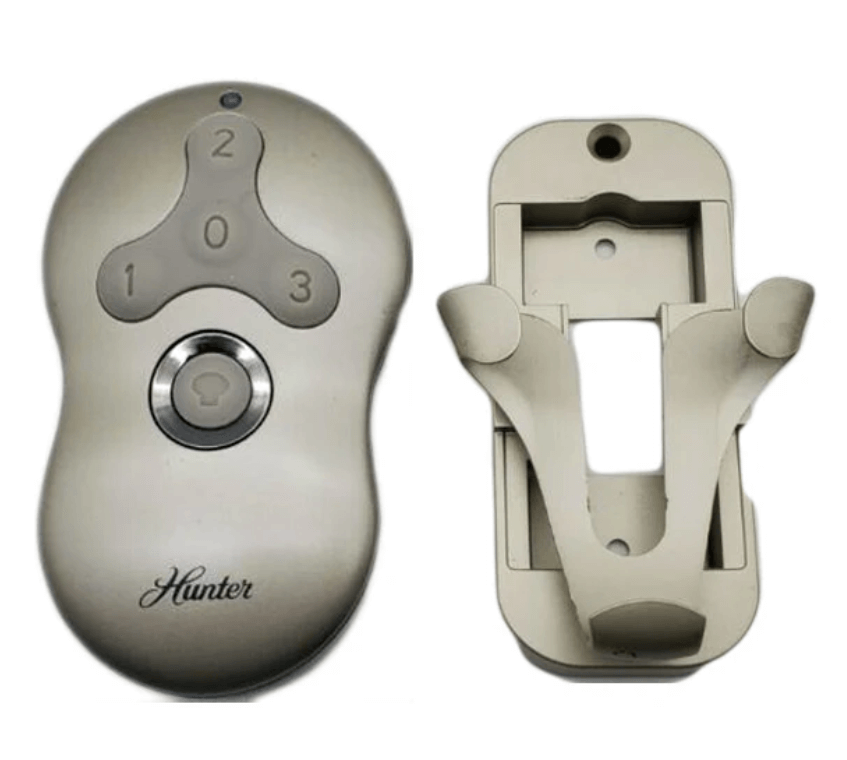
Filed Under: Hunter Fan Manuals

Hunter 99123 Fan Remote Troubleshooting & Manual

July 22, 2025 by admin Leave a Comment

If your Hunter 99123 remote is unresponsive or acting erratically, it’s a common issue that often indicates a need for troubleshooting, re-pairing, or consulting its manual. This specific Hunter ceiling fan remote (model 99123) is a popular control unit, but like all electronics, it can encounter glitches. Rather than immediate replacement, understanding how to diagnose common problems, re-establish its connection with your fan, and access its manual for specific instructions can quickly restore full control over your ceiling fan and lighting.

Understanding Your Hunter 99123 Remote

The Hunter 99123 remote is designed for convenient control of your Hunter ceiling fan’s functions, typically including fan speed (low, medium, high), light control (on/off, dimming), and sometimes a fan off button. Its compact design and dedicated buttons aim for user-friendly operation. It’s crucial to understand that while the remote transmits signals, the fan’s receiver (located within the fan’s canopy at the ceiling) is what processes these commands. Issues often arise from a communication breakdown between these two components.

Hunter 99123 Indoor Ceiling Fan Universal Remote Control
Hunter 99123 Replacement Remote Control

When Your Hunter 99123 Remote Isn’t Working: Troubleshooting First

Before considering a replacement for your hunter 99123 remote, it’s essential to troubleshoot common issues. Many problems that appear to be a dead remote can often be resolved with simple steps. This addresses concerns about your hunter fan remote 99123 not working.

  1. Check and Replace Batteries: This is the most frequent cause of remote malfunction.
    • Open the battery compartment (usually on the back) of your hunter remote 99123.
    • Remove the old A23 battery (a small, cylindrical 12V battery).
    • Insert a fresh A23 battery, ensuring correct polarity. Even if you think the batteries are fresh, try a brand-new one to rule out a weak charge.
  2. Line of Sight and Obstructions:
    • Ensure there are no physical obstructions between the remote and the fan. Large furniture, walls, or even certain types of glass can interfere with the signal.
    • Move closer to the fan to test if range is an issue.
  3. Power Cycle the Fan: A simple power cycle can often clear minor communication glitches in the fan’s receiver.
    • Turn off the power to your ceiling fan at the circuit breaker for at least 30 seconds.
    • Turn the power back on.
    • Immediately attempt to use the remote to see if it responds.
  4. Check for Interference: Other wireless devices in your home (e.g., Wi-Fi routers, smart home hubs, other ceiling fan remotes) can sometimes cause signal interference.
    • Temporarily power off other nearby wireless devices to see if the hunter 99123 remote regains functionality.
  5. Perform a Remote Reset: For general remote issues, a reset can clear internal memory. While the 99123 typically doesn’t have a dedicated reset button, a battery removal and re-insertion (as done in step 1) often serves this purpose. For broader remote troubleshooting, you can refer to our guide on Hunter Fan Remote Reset.

How to Program (Pair) Your Hunter 99123 Remote

If troubleshooting doesn’t work, your hunter ceiling fan remote 99123 likely needs to be re-paired or programmed to your fan’s receiver. This process establishes a fresh, clear communication link.

  1. Ensure Power is OFF at the Breaker: Go to your home’s electrical panel and switch off the circuit breaker that controls the ceiling fan. Wait for at least 30 seconds to a full minute. This allows the fan’s receiver to fully discharge and reset.
  2. Restore Power to the Fan: Turn the circuit breaker back to the “ON” position.
  3. Initiate Pairing on the Remote: Within 60 seconds of restoring power to the fan, you must perform the pairing sequence on your hunter 99123 remote.
    • Press and hold down both the “FAN” button and the “LIGHT” button simultaneously on the remote.
    • Keep holding these buttons for approximately 3-5 seconds.
    • The fan’s light should blink (if applicable), or the fan itself may give a slight “jerk” or response, indicating successful pairing.
  4. Test All Functions: Immediately test all buttons on your remote: fan on/off, speed changes (low, medium, high), and light on/off/dimming. If everything works, your remote is successfully programmed.

Expert Tip: Timing is critical! If the remote doesn’t pair on the first try, repeat the process from Step 1, ensuring you adhere strictly to the 60-second window after restoring power. Sometimes, it takes a couple of attempts. For more general programming advice, see our comprehensive guide on how to reprogram hunter fan remote.

Advanced Troubleshooting for Your Hunter 99123 Remote

If your hunter fan remote 99123 troubleshooting efforts haven’t yielded success, it’s time to dig a bit deeper.

  • Check for Dip Switches (Rare for 99123 but Possible): While the 99123 primarily uses a ‘learn’ function, some Hunter fans, especially older models that might be retrofitted, could still have dip switches on the receiver inside the fan canopy.
    • If your fan’s receiver has dip switches, ensure they are set to a pattern that does not conflict with any other fan in the vicinity. If you set them to a new, unique pattern, you would then follow the ‘Learn’ button programming method again.
  • Receiver Malfunction: If the remote itself is proven to be working (e.g., by using it with another compatible fan, or if you’ve tried a new remote with the same fan and it also fails), the issue might lie with the fan’s receiver unit. A faulty receiver will prevent any remote from pairing. Replacing the receiver often requires professional help.
  • Unpairing Conflicts: If you’re attempting to pair a new remote and an old one is causing interference, you might need to explicitly how to unpair hunter fan remote any existing connections before attempting to program the 99123.

Where to Find Your Hunter Fan Remote 99123 Manual

Having the correct hunter fan remote 99123 manual is an important document for specific instructions designed for your remote and fan model.

Download Your Manual Directly: For immediate access to the Hunter 99123 remote manual, you can download the PDF directly by clicking this link: Download Hunter 99123 Remote Manual (PDF).

For more general remote issues and troubleshooting common problems like your hunter fan remote 99123 not working, you can refer to our comprehensive guide: Hunter Ceiling Fan Remote Not Working.

When to Consider a Replacement Hunter 99123 Remote

After exhausting all troubleshooting and programming steps, if your hunter 99123 remote still fails to operate your fan, it might genuinely be time for a replacement. This is typically indicated if:

  • You’ve confirmed new batteries, correct pairing attempts, and ruled out fan/receiver issues.
  • The remote has visible physical damage (e.g., water damage, broken buttons, cracks).
  • It functions intermittently or sends random commands.

When replacing, ensure you purchase an authentic Hunter 99123 replacement remote or a universally compatible remote specifically listed as working with Hunter fans that use the 99123 system.

Conclusion

Dealing with a hunter 99123 remote that isn’t cooperating can be frustrating, but with the right troubleshooting steps and programming knowledge, you can often restore full functionality. From a simple battery change to correctly performing the ‘learn’ button sequence, these methods empower you to keep your Hunter 99123 remote working seamlessly. Should you continue to face challenges, remember that Hunter offers excellent support, and their official manuals are a rich resource. For direct assistance, don’t hesitate to contact Hunter Ceiling Fans Customer Service.

Filed Under: Hunter Ceiling Fan Parts, Hunter Fan Manuals

Hunter Fan Remote 99600 Manual: How to Find and Download It

May 14, 2025 by admin Leave a Comment

If you’re looking to find the manual for your Hunter 99600 fan remote control, you’ve come to the right place. While the official manual may not always be directly available for download, there are several ways you can easily access the Hunter Fan 99600 remote control manual to get the instructions you need for setup, installation, and troubleshooting.

In this article, we’ll guide you through the steps to locate the Hunter 99600 manual, either via the official Hunter Fan website or other online resources.

Hunter Fan Remote 99600

1. Where to Find the Hunter 99600 Remote Control Manual

To help you set up or troubleshoot your Hunter Fan Remote 99600, you’ll need the manual. Fortunately, there are several ways to find it:

Option 1: Hunter Fan Website

You can easily find the Hunter 99600 remote control manual on the Hunter ceiling Fan website. Simply follow these steps:

  1. Visit the Hunter Fan Manuals and Parts Section.
  2. Enter “99600” in the search bar to locate the manual specific to your remote.
  3. Download or view the manual for detailed pairing and installation instructions.

Option 2: Online Search

Alternatively, you can search online for the Hunter 99600 remote control manual. A quick Google search for “Hunter 99600 manual” should lead you to the correct PDF file containing the instructions.

If you’re unable to find the manual directly, you can also explore our Hunter Ceiling Fan Manuals page for other related resources.

2. Online Search for the Hunter 99600 Remote Control Manual

If you prefer a quicker method, you can search for the Hunter 99600 manual using a search engine like Google. Here’s how:

Steps to Find the Manual Online:

  1. Search Using Keywords:
    Open your browser and type the following into the search bar:
    “Hunter Fan 99600 manual”.
  2. Select the Relevant Link:
    Look for a reliable link, such as one from PDF hosting sites or other fan-related resources that may host a PDF version of the manual. Be cautious and choose the most reputable sites to avoid any unreliable sources.
  3. Download the PDF:
    If you find the manual in PDF form, you can simply download it to your computer or device. Always ensure that the version you download matches the Hunter 99600 remote model.

3. What You’ll Find in the Hunter 99600 Manual

The Hunter 99600 remote control manual includes essential information for users, such as:

  • Remote Control Pairing:
    A clear step-by-step guide for pairing the remote with your Hunter ceiling fan.
  • DIP Switch Settings:
    Instructions on configuring the DIP switches for proper communication between the remote and the fan receiver.
  • Battery Installation:
    Details on how to properly insert the required 12V 23A battery into the remote.
  • Troubleshooting:
    Common issues such as the remote not pairing, no response from the fan, or intermittent signals, and how to resolve them.
  • Other Functions:
    Features like controlling fan speed, light dimming, and fan direction (summer or winter mode).

4. Additional Helpful Resources

While the official manual is a great start, sometimes you may need further assistance. Here are a couple of additional resources:

  • Hunter Ceiling Fan Remote Not Working:
    If you encounter problems with your Hunter fan remote, check out our detailed troubleshooting guide: Hunter Ceiling Fan Remote Not Working.
  • Installing a Hunter Ceiling Fan Remote:
    For users looking to install or replace the Hunter 99600 remote, check out our detailed installation guide: How to Install a Hunter Ceiling Fan Remote.
  • Hunter Fan Remote 99600 Pairing Guide: Learn more about pairing your Hunter fan remote with step-by-step instructions.
  • Hunter Fan Remote Replacement 99600: If your remote is broken or no longer works, this guide can help you find a replacement.

5. Conclusion

Finding the Hunter 99600 remote control manual is simple through the Hunter Fan website or an online search. With the manual in hand, you can easily pair your remote with your Hunter ceiling fan, troubleshoot common issues, and get the most out of your ceiling fan’s features.

For further assistance or additional parts, don’t hesitate to visit the Hunter ceiling fans website or visit the Hunter Fan Manuals page or refer to our helpful resources linked above.

Filed Under: Hunter Fan Manuals

Hunter 85095 Remote Control Manual

May 1, 2025 by admin Leave a Comment

If you’re looking for the Hunter 85095 remote control manual, you’ve come to the right place. Whether you’re setting up a new Hunter ceiling fan remote, replacing an old remote, or troubleshooting issues, the manual provides all the information you need. In this guide, we’ll show you how to access the manual and explain how to install the Hunter 85095 remote control properly, along with troubleshooting tips and useful resources.

Hunter 85095 Ceiling Fan Remote Control

1. How to Find the Hunter 85095 Remote Control Manual

The Hunter 85095 remote control manual provides detailed instructions on installation, pairing, and troubleshooting. Here are the easiest ways to access the manual:

Option 1: Direct PDF Download

  • The manual is available for direct download, you can access the PDF from the official sources where it’s hosted. Make sure to download it for easy access while setting up your Hunter 85095 remote.

Here is the PDF link

Option 2: Online Search

  • A simple Google search for “Hunter 85095 remote control manual” can lead you to a trusted source hosting the manual in PDF format. Many fan-related websites and product retailers provide downloadable copies of user manuals.

Option 3:

  • For a comprehensive manual and additional installation instructions, you can refer to our Hunter Ceiling Fan Manuals page for more helpful documentation.

2. Understanding the Hunter 85095 Remote Control

Before diving into installation or pairing, it’s important to familiarize yourself with the Hunter 85095 remote control. This remote provides multiple functions, including:

  • Multi-speed control (low, medium, high).
  • Light control with dimming capability.
  • Fan direction control (reverse for winter or cooling mode for summer).
  • Compatible with most Hunter ceiling fan models and designed to be easy to install.

Battery Information:

The Hunter 85095 remote operates with a 12V 23A battery, ensuring reliable operation when installed correctly.

3. How to Install Hunter 85095 Remote Control

For detailed installation instructions on how to set up your Hunter ceiling fan remote, please refer to our How to Install a Hunter Ceiling Fan Remote guide.

This step-by-step guide will help you understand the entire process, from removing the fan canopy to pairing the receiver with the remote.

4. How to Pair the Hunter 85095 Remote Control

Pairing the Hunter 85095 remote control with your ceiling fan is crucial for optimal fan operation. It enables you to control the fan’s speed, light, and direction using the remote.

You can follow the pairing instructions we’ve provided earlier in our Hunter Fan Remote 85095 Pairing Guide. This will provide you with a detailed, step-by-step guide to successfully pair the remote with the fan.

5. Troubleshooting Common Issues

If the Hunter 85095 remote control is not working as expected, here are a few common problems and solutions:

Remote Not Pairing

  • Issue: The remote is not pairing with the receiver.
  • Solution:
    • Ensure the battery is fresh and installed correctly.
    • Reset the remote by turning off the fan power, waiting for 10 seconds, and then restoring power.
    • Check the dip switch settings to make sure they match between the receiver and the remote.

No Response from the Fan

  • Issue: The fan doesn’t respond to the remote’s commands.
  • Solution:
    • Ensure the receiver is properly installed and connected to the fan motor.
    • Confirm that the remote’s battery is working.

Fan Light Not Responding

  • Issue: The light does not turn on or respond to dimming commands.
  • Solution:
    • Ensure the light bulb is installed correctly and is dimmable.
    • Check the wiring to ensure that the receiver is properly controlling the light kit.

6. Additional Resources for Hunter Ceiling Fan Users

For more comprehensive troubleshooting and setup guides, you can explore these related articles:

  • Hunter Ceiling Fan Manuals: For more manuals and guides.
  • Hunter Ceiling Fan Remote Not Working: A detailed troubleshooting guide to help if your Hunter fan remote isn’t working as expected.

7. Conclusion

Installing and pairing the Hunter 85095 remote control is a straightforward process that enhances the functionality of your Hunter ceiling fan. By following the provided instructions, you can enjoy full control over your fan’s speed, light, and direction. If you encounter any issues, refer to the troubleshooting tips or check out the additional resources linked in this article.

For further help, feel free to go through the Hunter ceiling fans website article or check out other helpful articles on our website.

Filed Under: Hunter Fan Manuals

Hunter Hepburn Ceiling Fan: The Perfect Blend of Style, Functionality, and Efficiency

April 11, 2025 by admin Leave a Comment

If you’re in the market for a modern, energy-efficient ceiling fan that adds elegance and enhances the comfort of your space, the Hunter Hepburn Ceiling Fan could be the perfect choice. With a range of advanced features and a stylish design, it’s built to offer a cool, comfortable atmosphere in large rooms, all while keeping your energy costs low. Let’s explore why the Hunter Hepburn Ceiling Fan is a top contender for your next home upgrade.

hunter hepburn ceiling fan

Key Features of the Hunter Hepburn Ceiling Fan

Hassle-Free Returns

One of the standout benefits of purchasing the Hunter Hepburn Ceiling Fan is the hassle-free return policy. If you’re not satisfied with your fan, you can return it within 45 days, making your purchase risk-free. This generous return policy adds an extra layer of confidence when making your purchase, knowing you can return the fan if it doesn’t meet your expectations.

Fan Blade Span and Room Size

The Hunter Hepburn Ceiling Fan features a 52-inch blade span, making it the ideal choice for large rooms up to 400 sq. ft. Whether it’s your living room, bedroom, office, or bonus room, the 52-inch span ensures optimal airflow and cooling for a comfortable environment. Perfect for spaces that need a lot of air circulation, the Hepburn fan is versatile and effective for different areas in your home.

Modern Design and Stylish Finish

A fan’s aesthetic is just as important as its functionality, and the Hunter Hepburn Ceiling Fan does not disappoint. This fan boasts a modern brass finish with an aged oak color that enhances the decor of any room. The design is clean, contemporary, and sleek, making it a stylish addition to your space. With 4 reversible blades, you can easily switch between Aged Oak and White Grain finishes, depending on your room’s decor.

Blades and Blade Pitch

The fan’s 13-degree blade pitch ensures powerful airflow that circulates air efficiently throughout the room. The reversible blades give you flexibility, allowing you to change the look of the fan to match different seasons or room styles.

Mounting and Installation

Mounting Type

The Hunter Hepburn Ceiling Fan comes with a downrod mounting type (3 inches included), making it ideal for ceilings 9 feet or higher. This ensures proper airflow and balance, providing maximum comfort. It’s important to note that for ceilings 9 feet and above, a downrod is required, and the fan cannot be mounted on an angled ceiling.

Indoor Usage

The Hunter Hepburn is designed for indoor use only, making it a safe and reliable option for dry locations. You can use it in spaces such as your living room, bedroom, or office to keep things comfortable year-round.

Lighting Features

Globe-Style LED Light

The fan comes with a globe-style LED light that emits a warm, inviting glow. The 9W LED bulb provides 800 lumens, offering adequate brightness without being overpowering. The dimmable feature allows you to adjust the lighting to your preference, whether you’re working, relaxing, or entertaining guests.

The light kit also includes a painted cased white lens cover, ensuring a clean, sophisticated look that complements the fan’s modern design.

Energy-Efficient Lighting

The fan’s LED lighting not only provides excellent illumination but is also energy-efficient, reducing electricity usage. You can enjoy optimal lighting while keeping your energy bills low.

Motor and Airflow Efficiency

AC 172 x 12 Motor

The Hunter Hepburn Ceiling Fan is powered by an AC 172 x 12 motor, offering three adjustable speeds for customizable comfort. The reversible motor allows for year-round use, ensuring your space is cool in the summer and warm during winter by reversing the airflow direction.

Airflow

With a high 4121 CFM airflow on its highest setting, the Hunter Hepburn ensures efficient and consistent air circulation, keeping your room comfortably cool. Its energy use is only 40 watts, offering excellent airflow efficiency at 70 CFM per watt. The estimated yearly energy cost for running this fan is just $11, making it an affordable and eco-friendly choice for homeowners.

Control and Convenience

Wall Control Included

The Hunter Hepburn Ceiling Fan comes with a wall control that allows you to adjust the fan’s speed and lighting with ease. No need for remote controls or additional accessories—this wall control provides a simple and straightforward way to manage the fan’s functions.

Batteries Included

The fan comes with 2 AAA alkaline batteries included for the wall control, so you can start using it right away without the need to purchase additional batteries.

Warranty and Certifications

Motor Warranty

The motor is backed by a limited lifetime warranty, providing long-term peace of mind with the assurance that the motor will perform reliably for many years.

Light Kit Warranty

The light kit is covered by a 3-year warranty, ensuring that if any issues arise with the lighting components, they will be addressed promptly.

ETL Listed

The fan is ETL listed, ensuring that it meets the highest safety standards for use in your home.

Manual

Installation Instructions

For ease of installation, the Hunter Hepburn Ceiling Fan comes with a detailed manual that walks you through the installation process. Whether you’re installing it in a living room or a bedroom, the manual provides clear, step-by-step instructions to ensure you get the fan up and running quickly and safely.

Here is a PDF Manual

Conclusion: Why Choose the Hunter Hepburn Ceiling Fan?

The Hunter Hepburn Ceiling Fan is a perfect combination of style, performance, and energy efficiency. Its modern design, efficient motor, reversible blades, and energy-saving features make it an excellent choice for large rooms. Whether you’re upgrading your living room or refreshing your bedroom, the Hunter Hepburn will keep you comfortable while adding a touch of sophistication to your home.

Shop the Hunter Hepburn Ceiling Fan on Amazon here for the best deals and hassle-free returns.

Filed Under: Hunter Ceiling Fan Reviews, Hunter Ceiling Fans, Hunter Fan Manuals

  • 1
  • 2
  • Next Page »


Best Hunter Ceiling Fans

Bestseller No. 1 Hunter 59244 Dempsey Ceiling Fan 44 inches Fresh White
Hunter 59244 Dempsey Ceiling Fan 44 inches Fresh White
Check Price
Bestseller No. 2 Hunter 53090 Builder Deluxe Ceiling Fan 52 inches Brushed Nickel
Hunter 53090 Builder Deluxe Ceiling Fan 52 inches Brushed Nickel
Check Price
Bestseller No. 3 Hunter Fan Company Fan Builder Elite Indoor Ceiling Fan with Pull Chain Control, Metal, New...
Hunter Fan Company Fan Builder Elite Indoor Ceiling Fan with Pull Chain Control, Metal, New...
Check Price

Recent Posts

  • Hunter Ceiling Fan Remote Control Manual
  • Hunter Ceiling Fan Flickering Lights: Causes and Fixes
  • Hunter vs Kichler Ceiling Fans — The Ultimate Battle for Your Ceiling
  • Hunter Fan Company Phone Number & Contact Information (Official Guide)
  • Hunter HVLS Fans: The Definitive Guide to High-Volume, Low-Speed Airflow
  • Hunter 99373 vs 99375: What’s the Difference Between These Remotes?
  • Hunter Fan Remote Battery Replacement
  • Hunter 99123 Fan Remote Troubleshooting & Manual
  • How to Unpair Your Hunter Fan Remote
  • How to Install Hunter Low Profile Ceiling Fan

Legal Information

This site is owned and operated by HunterCeilingfans. Hunter ceiling fans is a participant in the Google Adsense Program, an advertising program designed to provide a means for sites to earn advertising fees by displaying related advertisements.

Hunter ceiling fans also is a participant in Amazon Associates Program. “As an Amazon Associate, I earn from qualifying purchases.”

Hunter ceiling fan is compensated for referring traffic to these companies. Hunter ceiling fans is an independent site with no connections to Hunter and is operated entirely by independent volunteers and writers to provide information.

We are not the manufacturer of Hunter Ceiling Fans, nor are we associated with Hunter in any way. We are a third-party resource website that tries to help site visitors to find valuable information.

Categories

  • Discontinued Hunter Ceiling Fans
  • Hunter Ceiling Fan Parts
  • Hunter Ceiling Fan Reviews
  • Hunter Ceiling Fan Support
  • Hunter Ceiling Fan Troubleshooting
  • Hunter Ceiling Fans
  • Hunter Fan Manuals

Partners

Harbor Breeze